Zoom — AI Telephony & Admin
Six production designs in three months. Same task, carried across mobile, desktop, and admin without changing meaning on any of the three.
Embedded with PMs and engineers on the Digital / Phone / admin surface, June through September 2023.
Constraint
Three months. Six production designs. Not a brand rewrite. The work had to ship on mobile, desktop, and admin without the task changing meaning on each client.
Problem
AI telephony and admin-policy work was splitting across surfaces. Operators and end users were not looking at the same job. Scope lived in the file and in the room.
What I Owned
Production journeys and specs — early frames through pixel-level handoff. Cut in the room when a surface could not carry the same task.
Two Walkthroughs
Not all six — the two with real exported screens, each carried across the admin settings and the end-user surface in the same window.
Walkthrough A
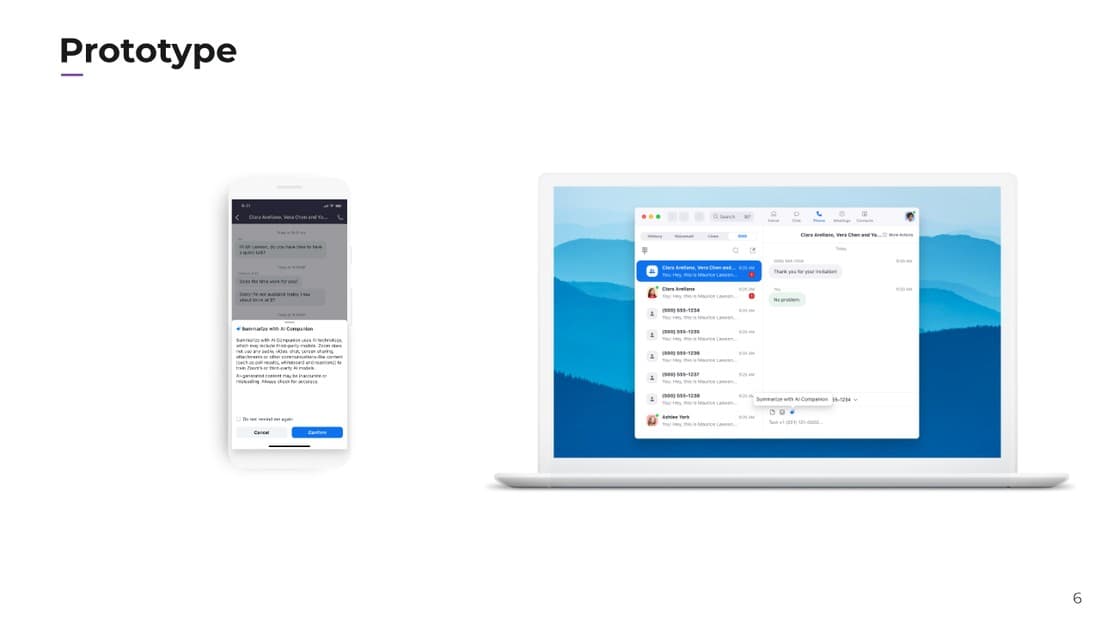
AI Summary with AI Companion SMS
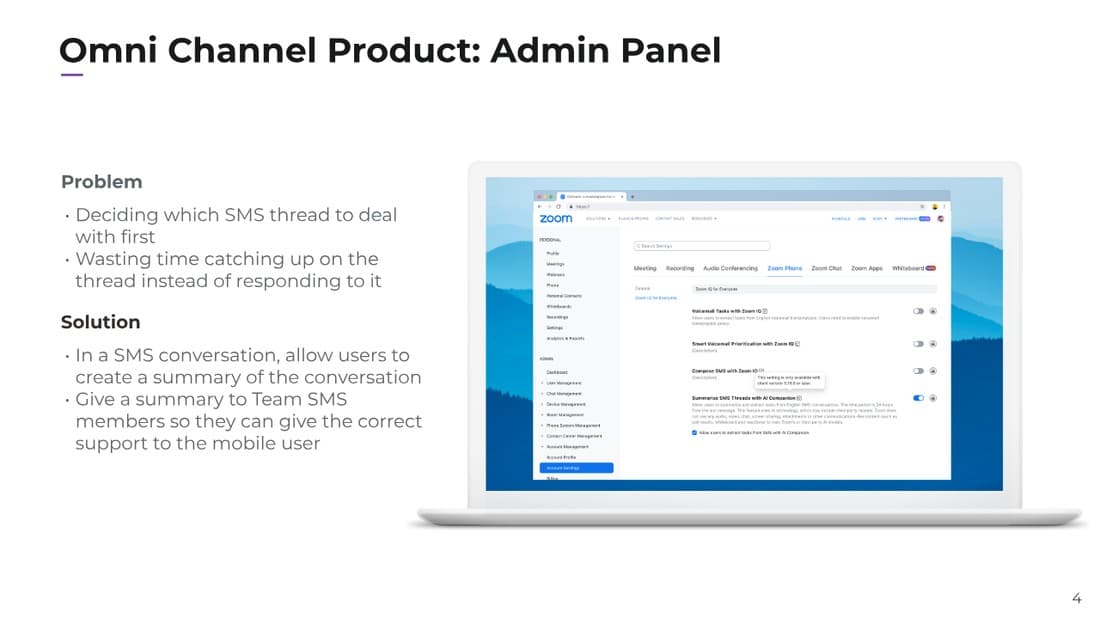
Users can request and receive an AI-powered summary of content in a Team SMS thread — so a teammate picking up a thread isn't stuck reading the full history before they can respond.
What I cut
Inline editing on an inaccurate summary. Discovery flagged it as a real need, but the first release shipped view-only with a thumbs up/down — editing was scoped to a later release.
What shipped
A teammate in a Team SMS thread can request an AI-generated summary of the latest engagement with that mobile number, with a disclosure about third-party AI model use built into the confirmation step. Admins control the feature at the Team Messaging level for compliance.
Walkthrough B
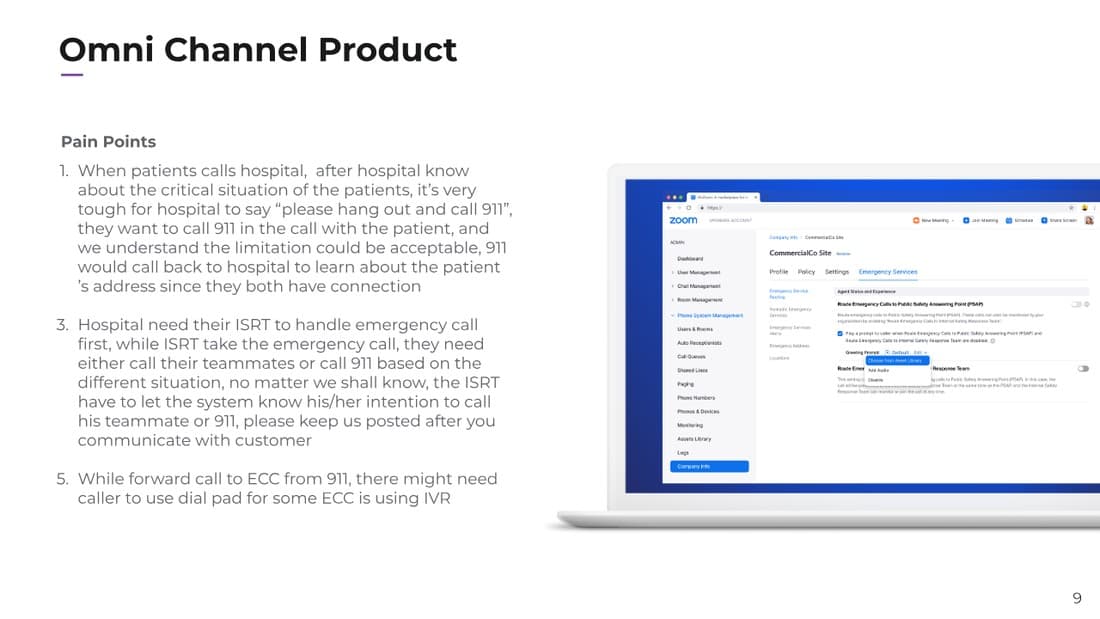
e911 Emergency Call
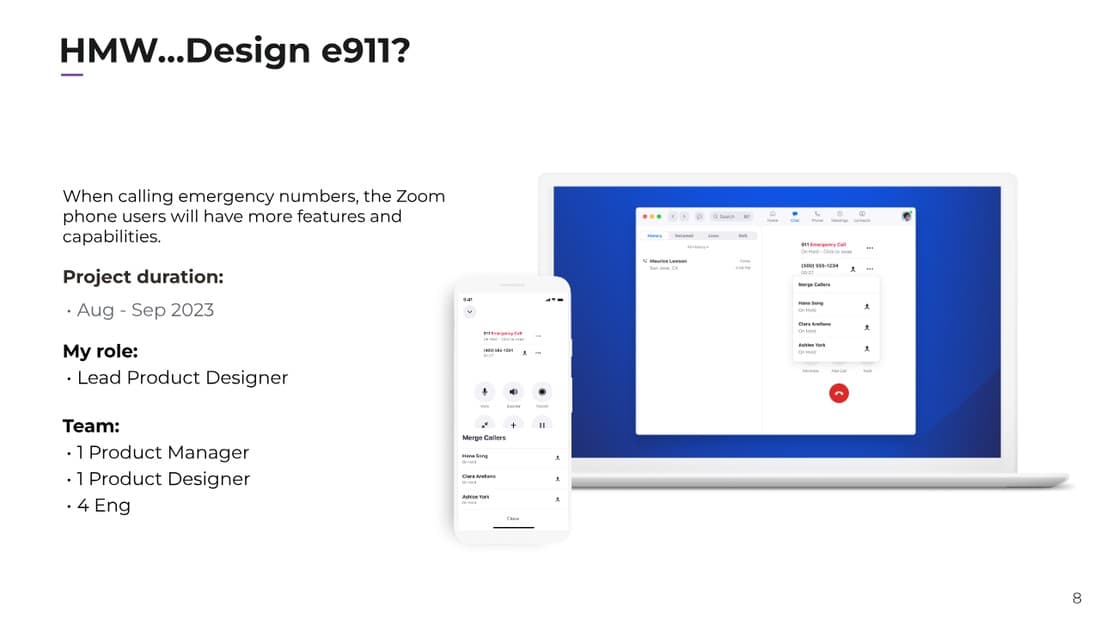
When calling emergency numbers, Zoom Phone users needed more features and capabilities on the call itself — without losing the emergency call to get them.
What I cut
A bespoke routing flow for hospital customers' Internal Safety Response Teams. That case was real, but it's handled through the same emergency-routing admin settings as everyone else, not a one-off path for a single vertical.
What shipped
Merge callers directly into an active 911 call, plus admin-configured routing of emergency calls to a Public Safety Answering Point or an internal safety response team.
System
Every one of the six repeated the same shape: an empty state, an error a person could act on, and a done state that confirmed what actually happened — plus a consistent split between the end user's single-task view and the admin's bulk view of that same underlying data. That pattern, not a component library, is what let six designs ship in three months without each one starting from zero.
Also Shipped
The other three of the six, in the same window:
Device Management
Enhancements for ATA device configuration and status.
Cloud Paging
Scheduling for paging sessions across locations.
Bulk Administration — Shared Line Group
The same CSV-first pattern as call queues, applied to shared line groups.
Outcome
All six shipped to production inside the three-month contract window — from early frames through pixel-level handoff, carried across mobile, desktop, and admin.