Jarvis
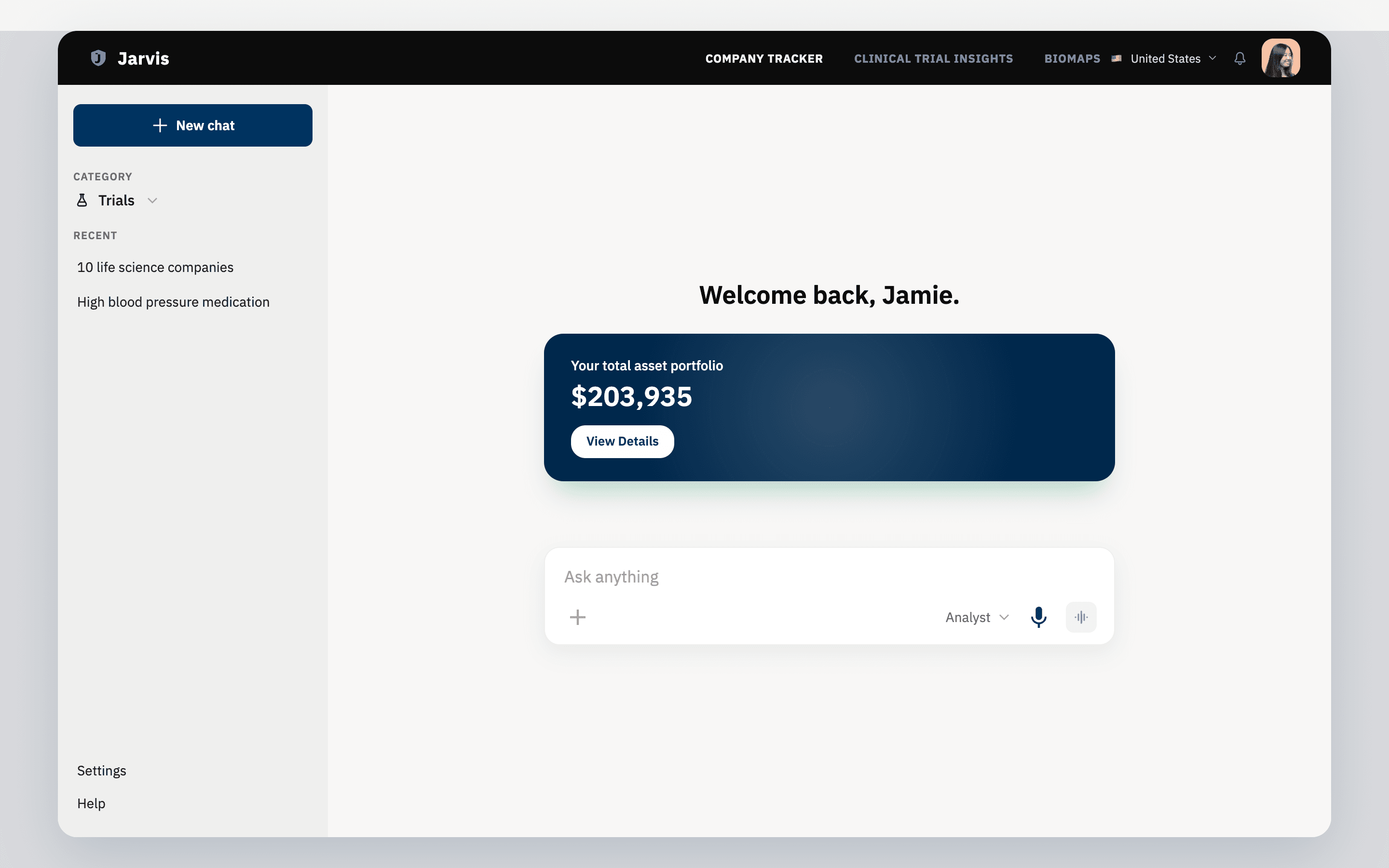
An agent-style clinical-trial search tool for investment due diligence — a structured search form and a Groq-backed AI prompt dock on the same screen, built on the Pivotal Life Science design system.
Investment due-diligence research runs on clinical-trial data — condition, intervention, location, recruiting status — the same structured fields a research coordinator uses, not a chat box. Jarvis keeps that structured search as the primary surface, and adds a standing AI prompt dock beside it for the plain-language question that doesn't fit a form field: “which of these trials are furthest along?”
It grew directly out of the GenAI due-diligence workflows I built for Pivotal Life Science — Jarvis is the same design system and the same underlying problem, rebuilt as a public, working app instead of an internal deck.
Approach
A chatbot that replaces structured search loses the precision an investor's diligence process depends on — you can't filter a transcript. So the prompt dock sits alongside the form, not instead of it: it’s a companion for the question a field can’t express, backed by a real model call (Groq) instead of canned responses, with its own loading and error states so it never blocks the structured search underneath it.
Structured search
Condition/disease, other terms, intervention/treatment, and location fields, plus a recruiting-status filter — the same shape an investor's diligence team already searches clinical trials in.
Chat-to-result dock
A persistent prompt bar runs alongside the structured form — ask a plain-language question and get a real, Groq-backed answer without leaving the search screen or losing your filters.
One design system, two surfaces
Built on the same Figma design system as the Pivotal Life Science due-diligence work, so the builder-facing search and the consumer-facing prompt read as one product, not two bolted together.
Agent-style, not chatbot-style
The prompt dock is a companion to the structured search, not a replacement for it — a change to the query flow lands cleanly on the result surface instead of living in a separate chat transcript.
Product
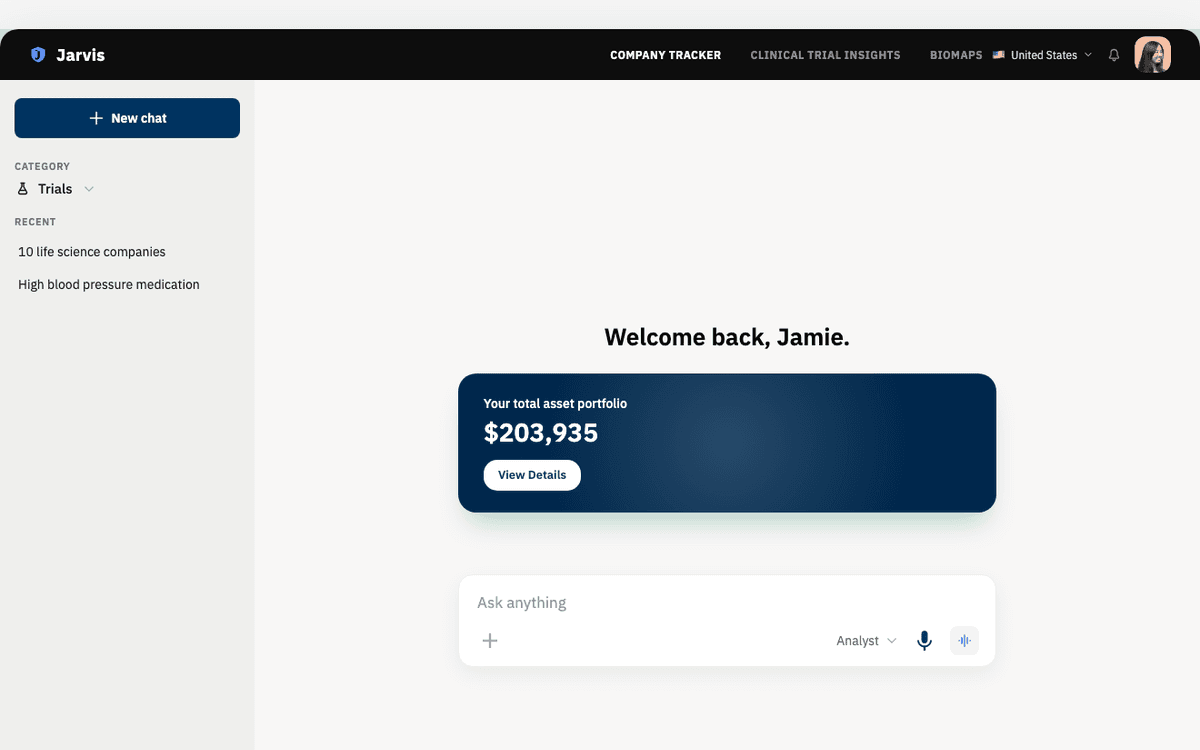
The desktop shell, live — persistent chat history in the sidebar, the prompt dock always available.
Design System
Once the app itself was settled, I reverse-engineered it back into Figma: a token set bound 1:1 to the production CSS — the same color, spacing, and radius values, not rounded approximations — a small reusable component library (buttons, the asset card, the category dropdown, the prompt dock), and pixel-accurate desktop and mobile mockups captured straight from the live site.
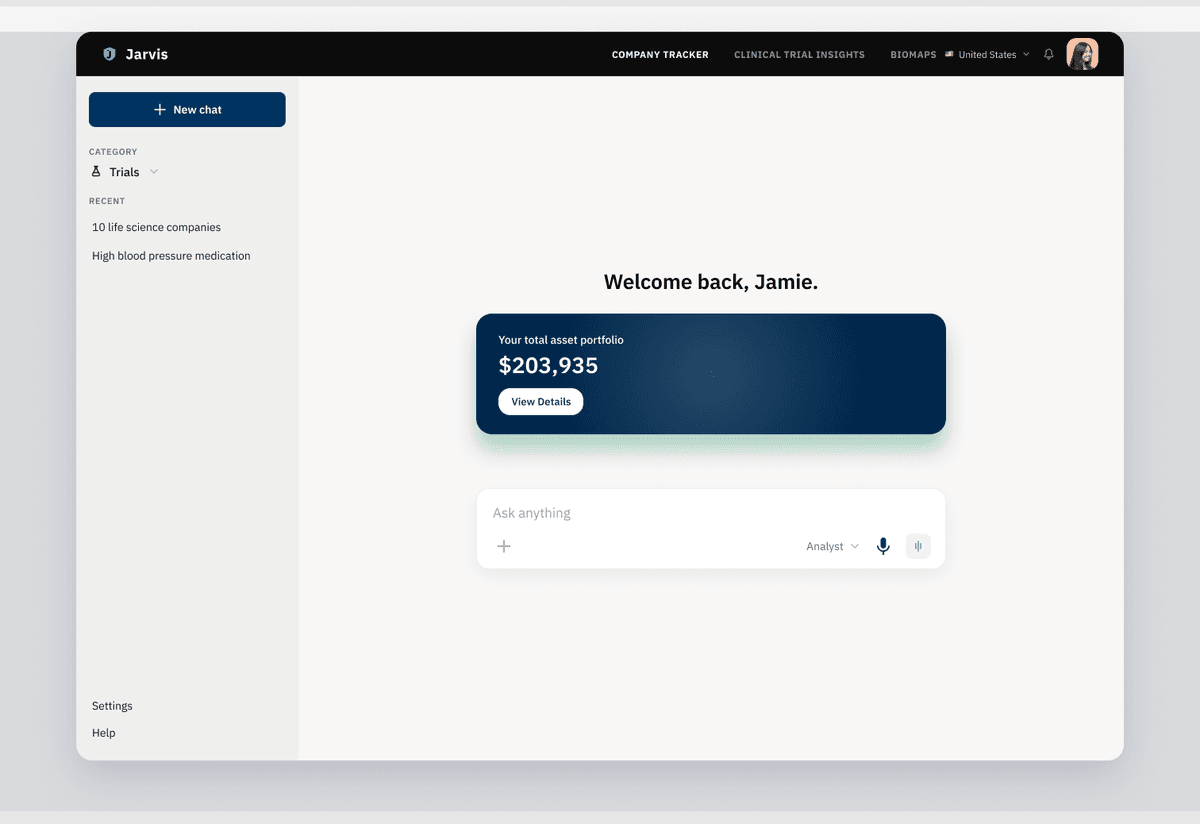
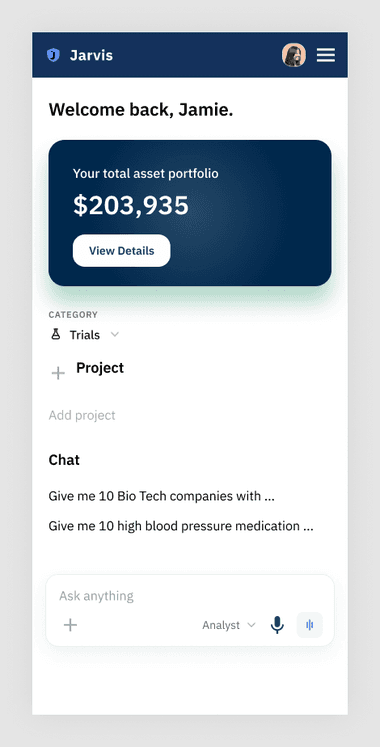
Desktop and mobile mockups, captured pixel-for-pixel off the live app rather than redrawn by hand — so the Figma file never drifts from what actually shipped.
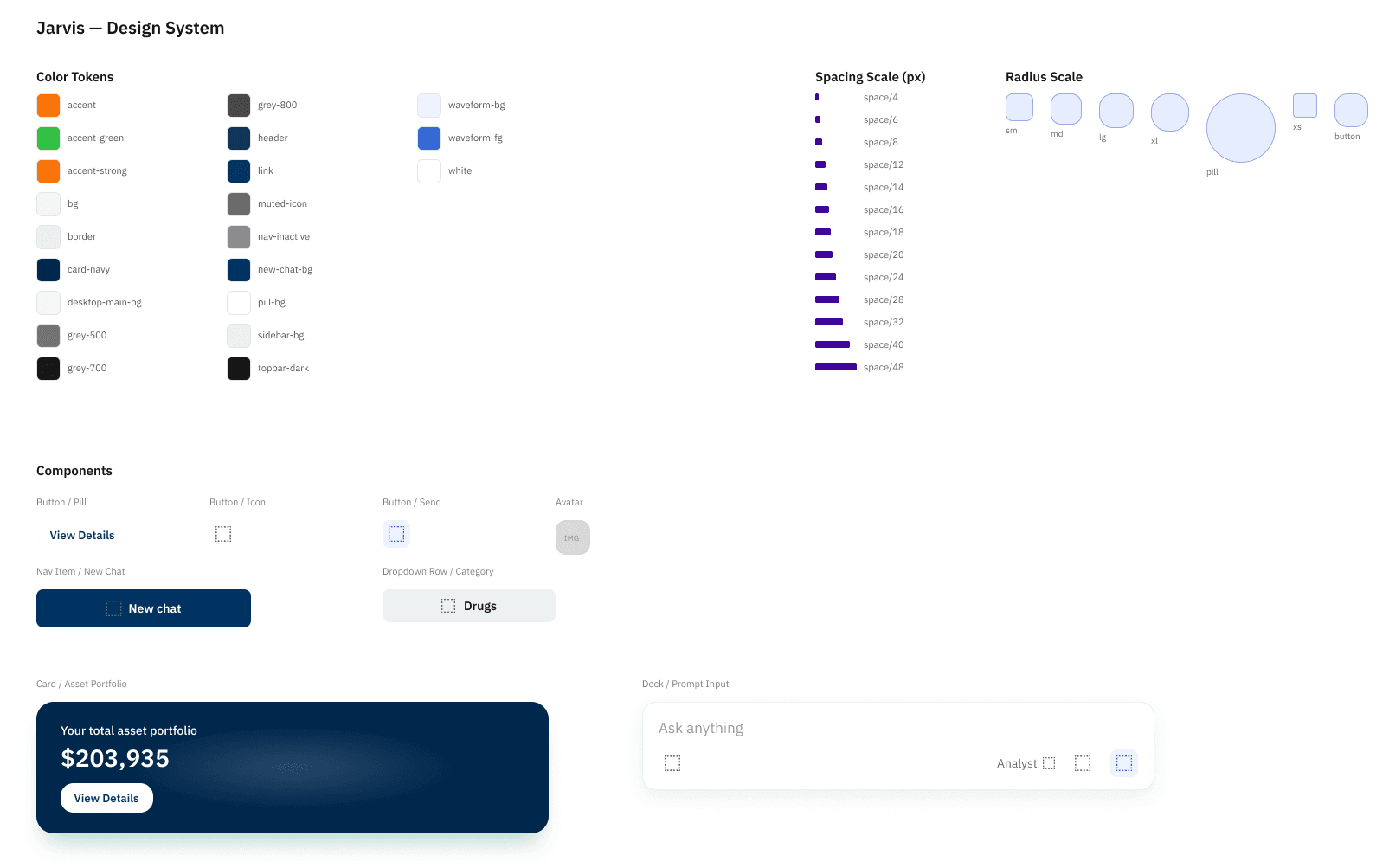
Tokens and components — Figma Variables bound to the app's real CSS custom properties, plus the reusable pieces built from them.