Salesforce — Data Masking Enhancements
Platform security UX for Salesforce's Data Mask tool — record-type-based masking rules, reporting, and notifications, shipped with stakeholder alignment across two products.
Overview
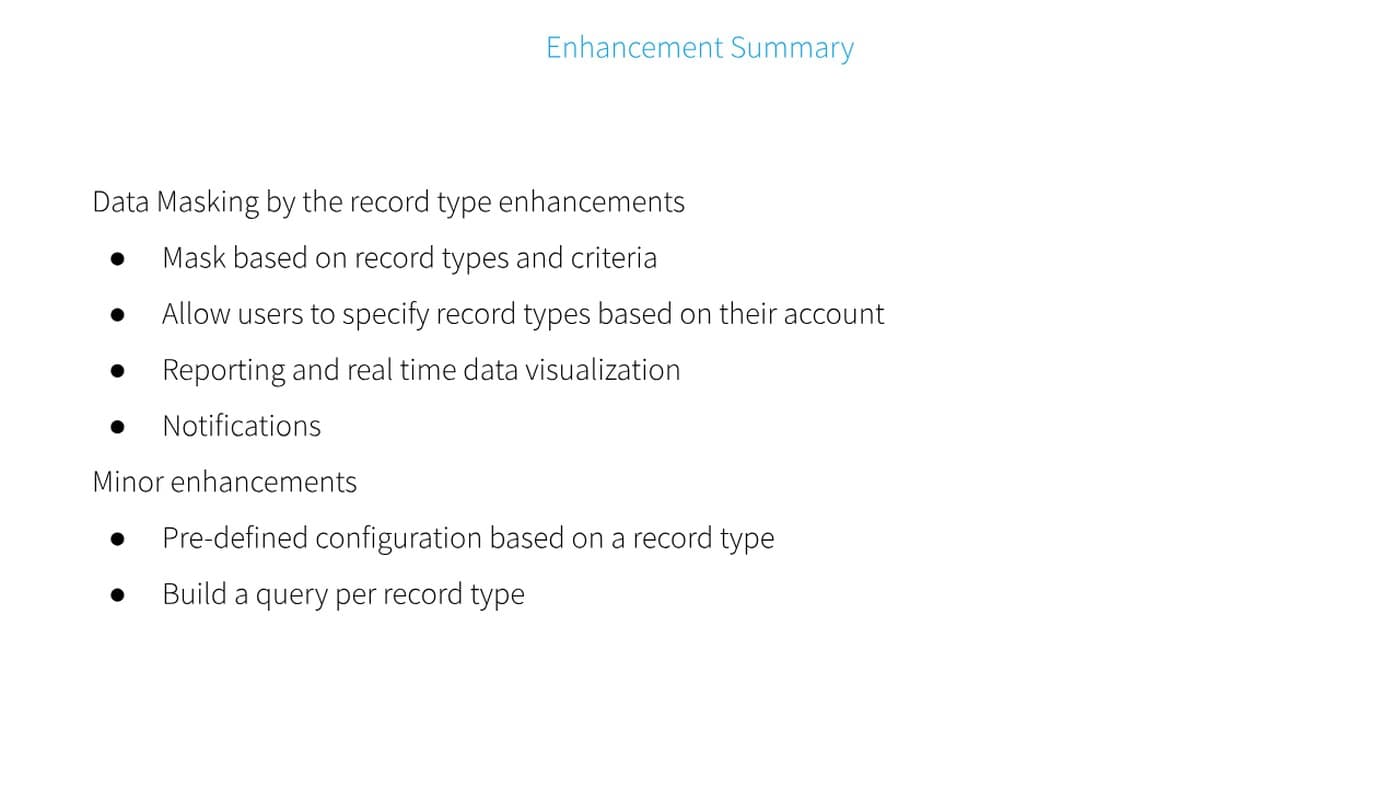
An enhancement set for Data Masking by record type: masking based on record types and criteria, letting users specify record types by account, reporting with real-time data visualization, and notifications — plus minor enhancements for pre-defined configuration per record type and building a query per record type.
Screens — Add a Record Type
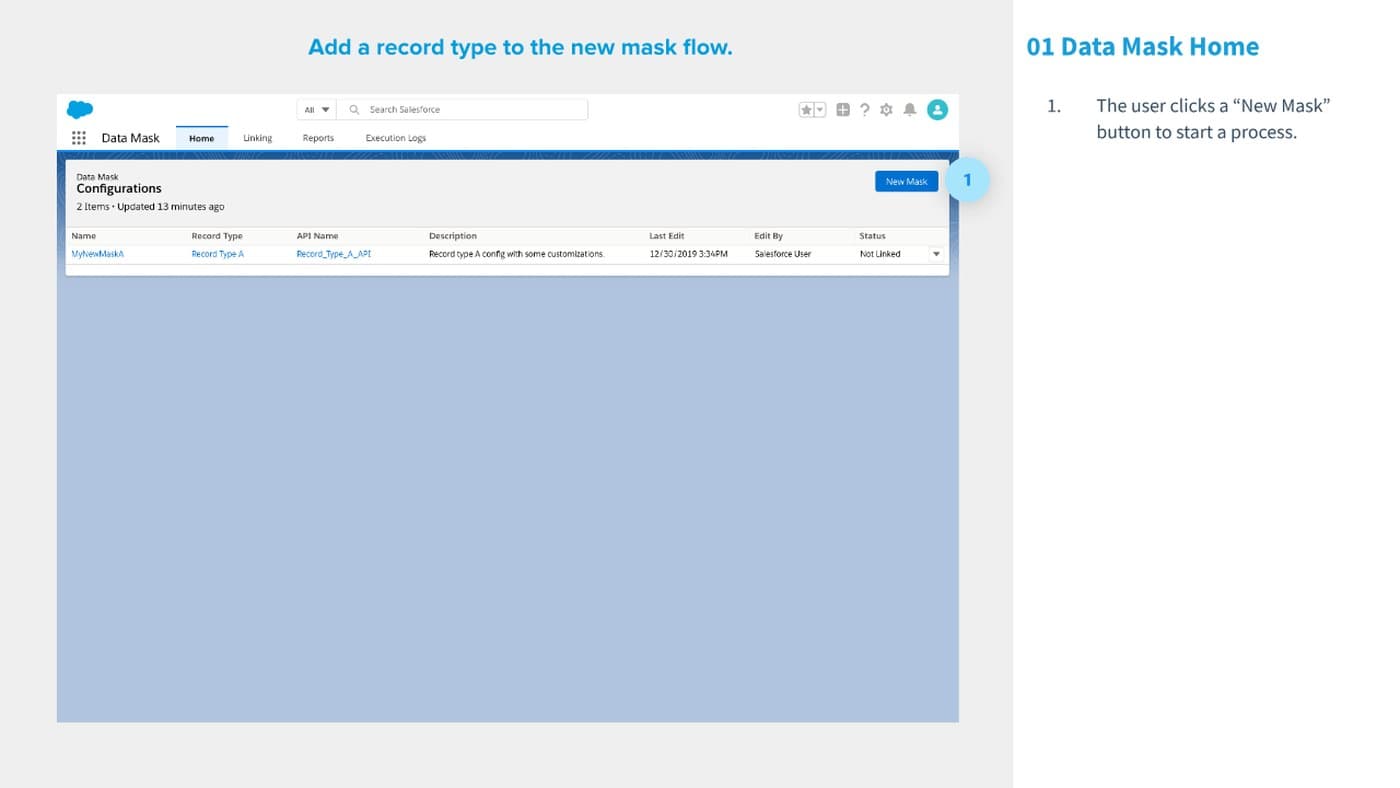
From the Data Mask home, a user clicks “New Mask” to start the flow — creating a mask, identifying its record type, and configuring pre-set masking rules for that type before saving.
Screens — Masking Rules Configuration
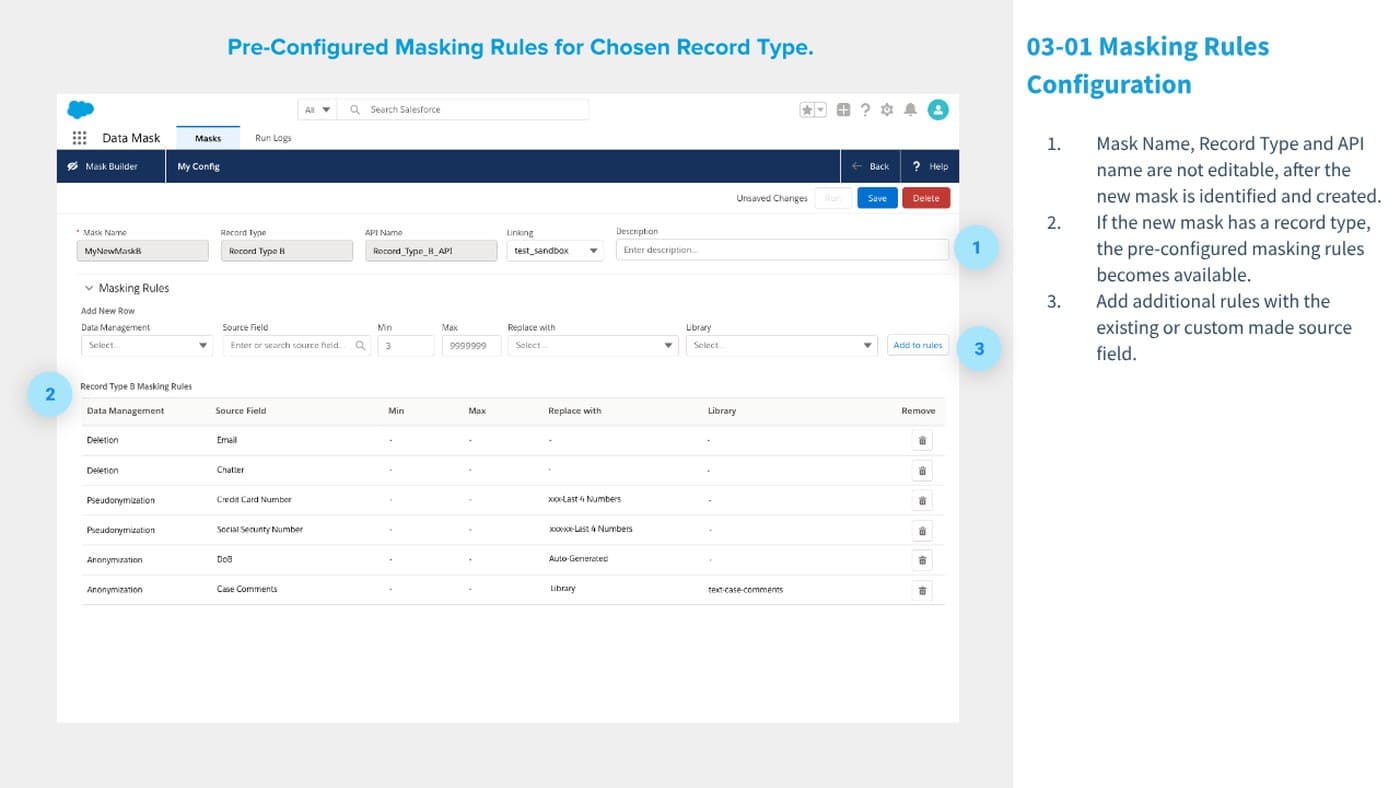
Once a record type is chosen, its pre-configured masking rules become available — mask name, record type, and API name lock after creation, and additional rules can be added against existing or custom source fields.
Screens — Notifications
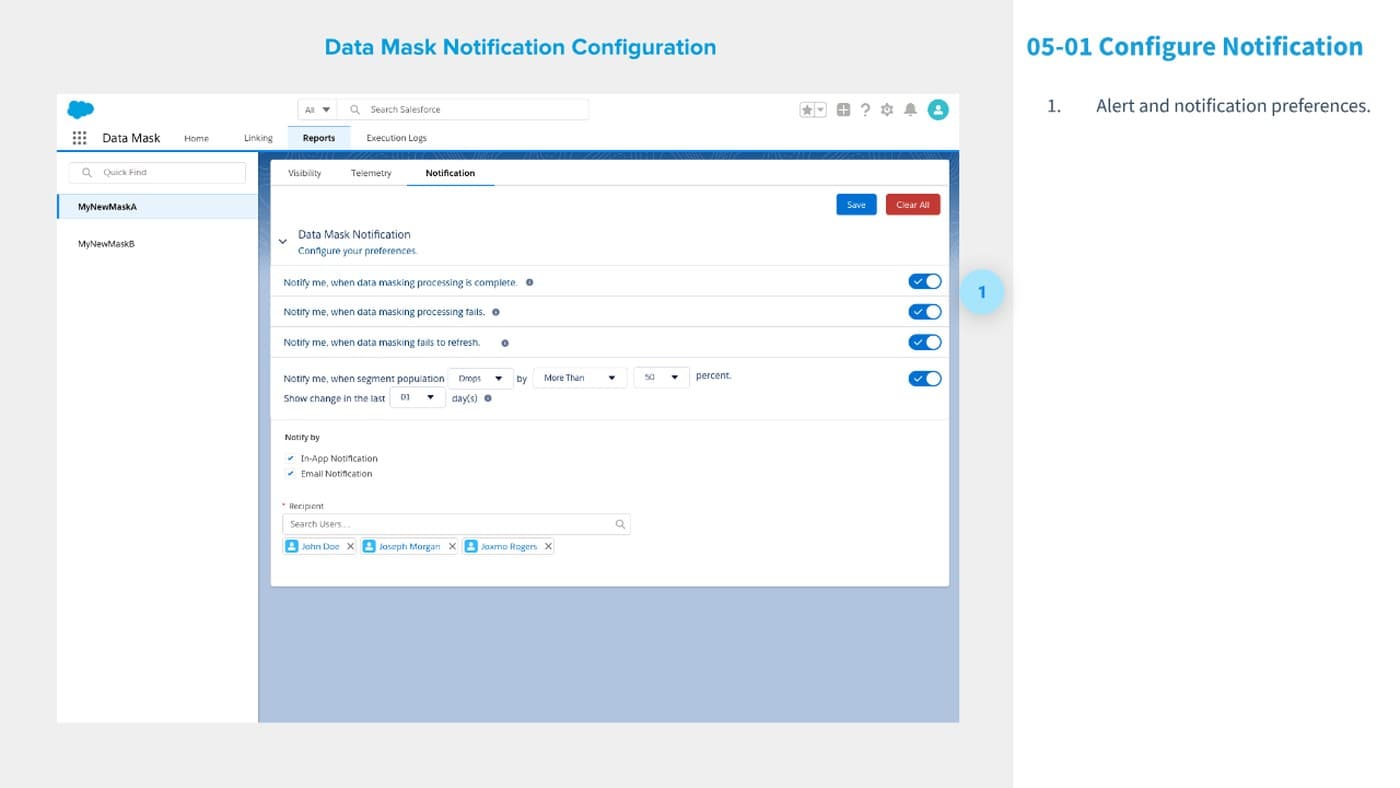
Notification preferences round out the tool: alerts when masking completes, when it fails, when a refresh fails, or when a segment's population drops by more than a set percentage — delivered in-app or by email to the recipients an admin chooses.
Outcome
Platform security UX shipped with stakeholder alignment — record-type-based masking rules, reporting, and notification preferences delivered as one coherent Data Mask experience.